Making and Reviewing Pull Requests in GitHub
7 min read·Jan 1, 2025
In GitHub, a pull request (PR) is a feature that allows developers to propose changes to a codebase, review those changes collaboratively, and eventually merge them into the main or master branch of a project.
Pull requests are commonly used in collaborative development to ensure that code quality is maintained and that contributions are discussed and vetted before being integrated into the project.
Creating a pull request
Before creating a pull request, you should ensure that:
- The code is well-structured, follows coding standards, and is properly documented.
- The code doesn't include large refactorings or unrelated changes.
- The code doesn't break existing functionality and achieves the desired outcome.
- The code is in sync with the branch you want to merge it into.
Once the branch containing the commits of your completed feature is pushed to the remote repository:
-
Navigate to the repository's page on GitHub.
-
Click on the "Compare & pull request" button to create a new pull request.

Before creating a PR, make sure that it addresses a single feature, bug fix, or task.
-
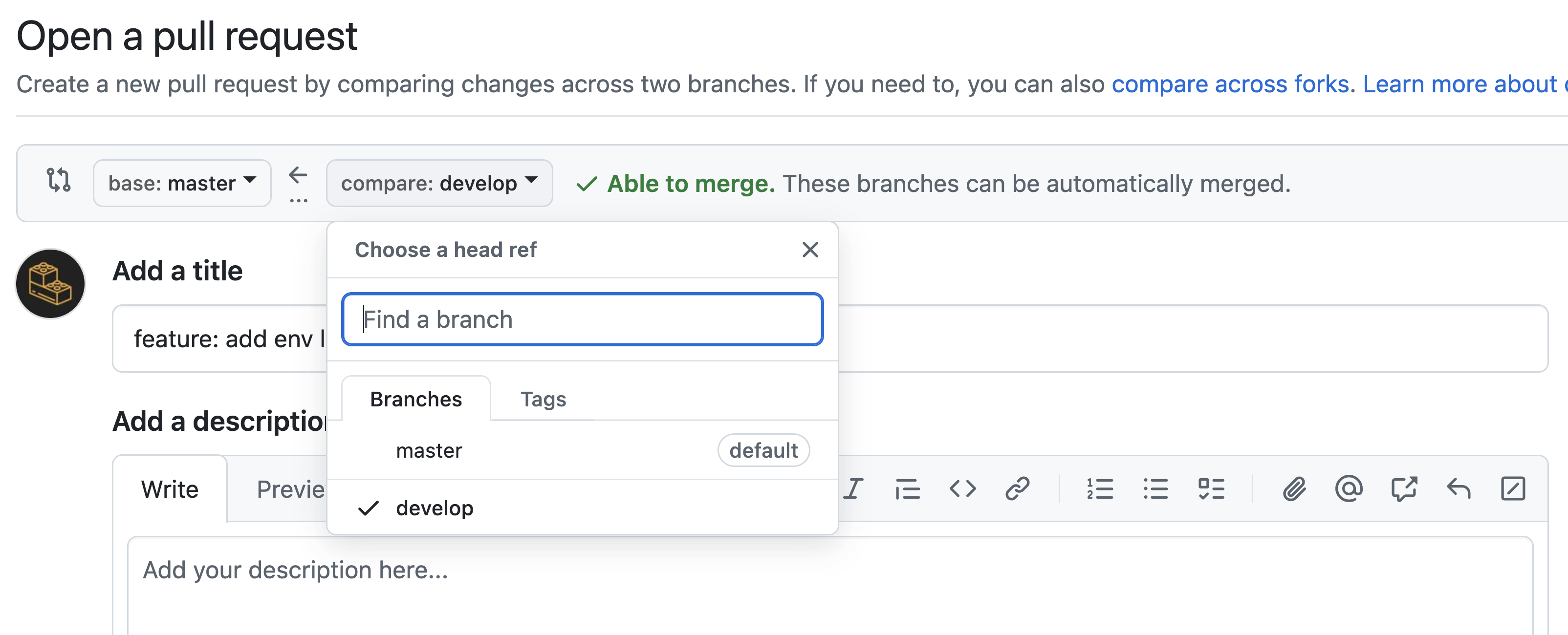
Select the base branch the commits will be merged into and the compare branch the commits will be merged from as pointed by the arrow (e.g., main <- develop).
-
Write a title using the semantic commit message format.

-
Write a description that explains the purpose of the changes.
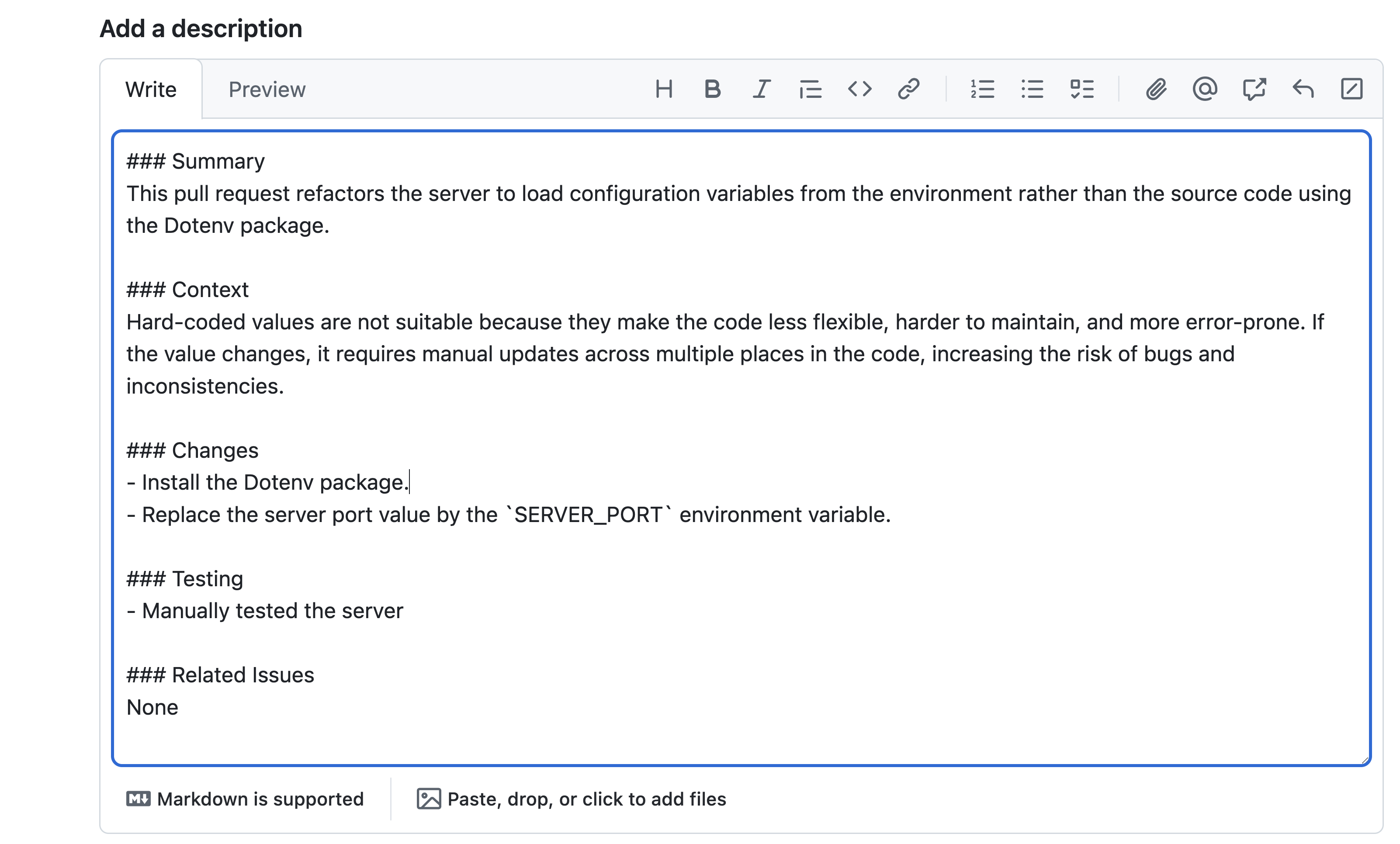
The description should be written in the markdown format, and include:
- A brief summary of the changes and the reason behind them.
- The broader context of the PR.
- The list of changes.
- The list of tests.
- The reference to the related issue / task.
-
Click on the "Create pull request" button to create the pull request.

-
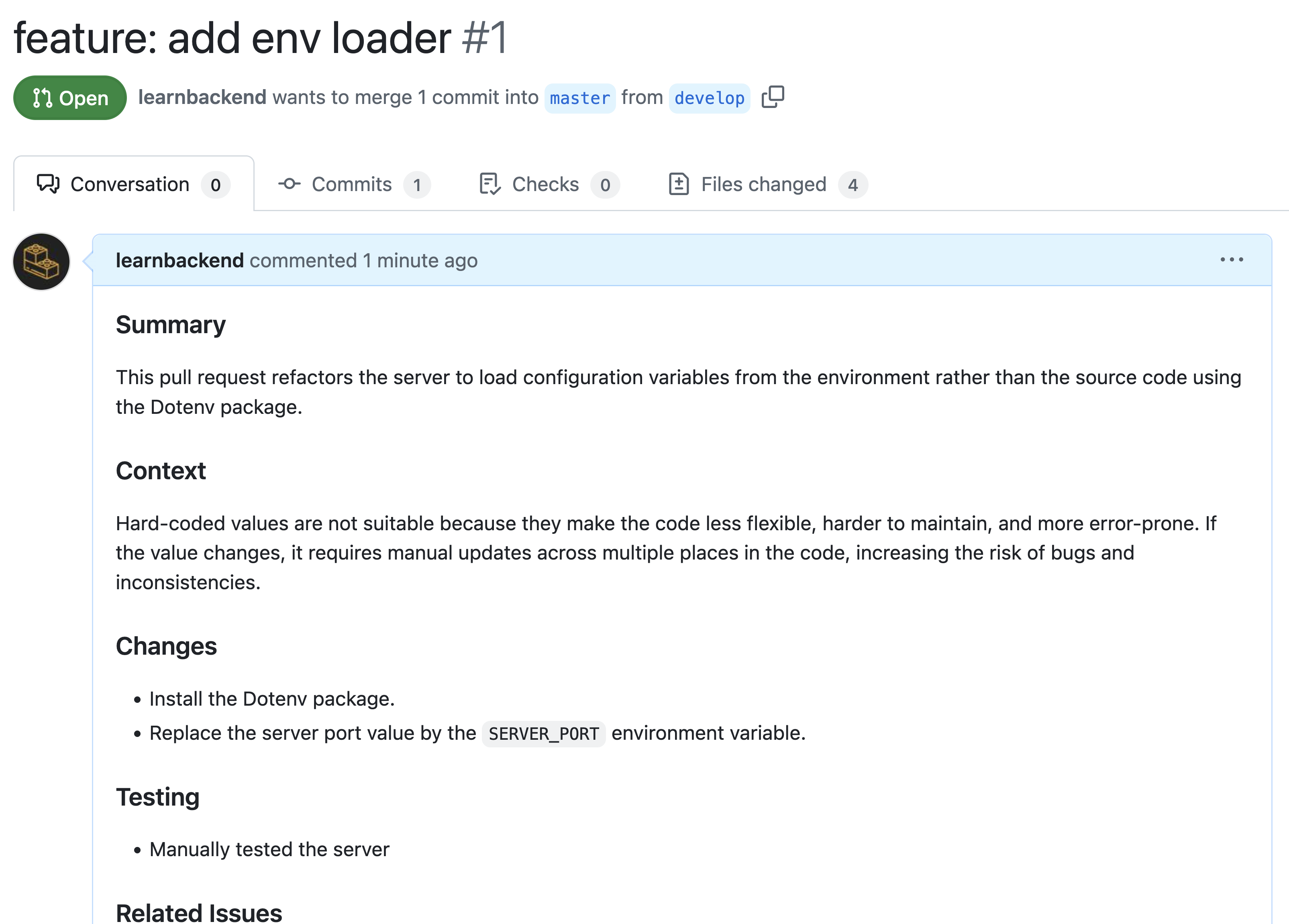
Review the pull request summary.
Reviewing a pull request
To review a pull request:
-
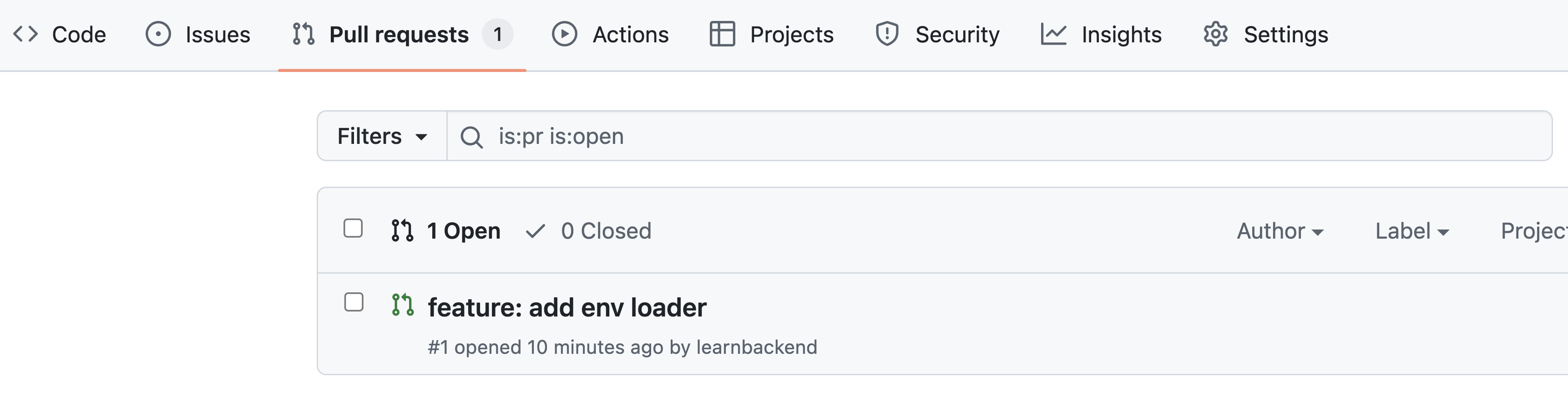
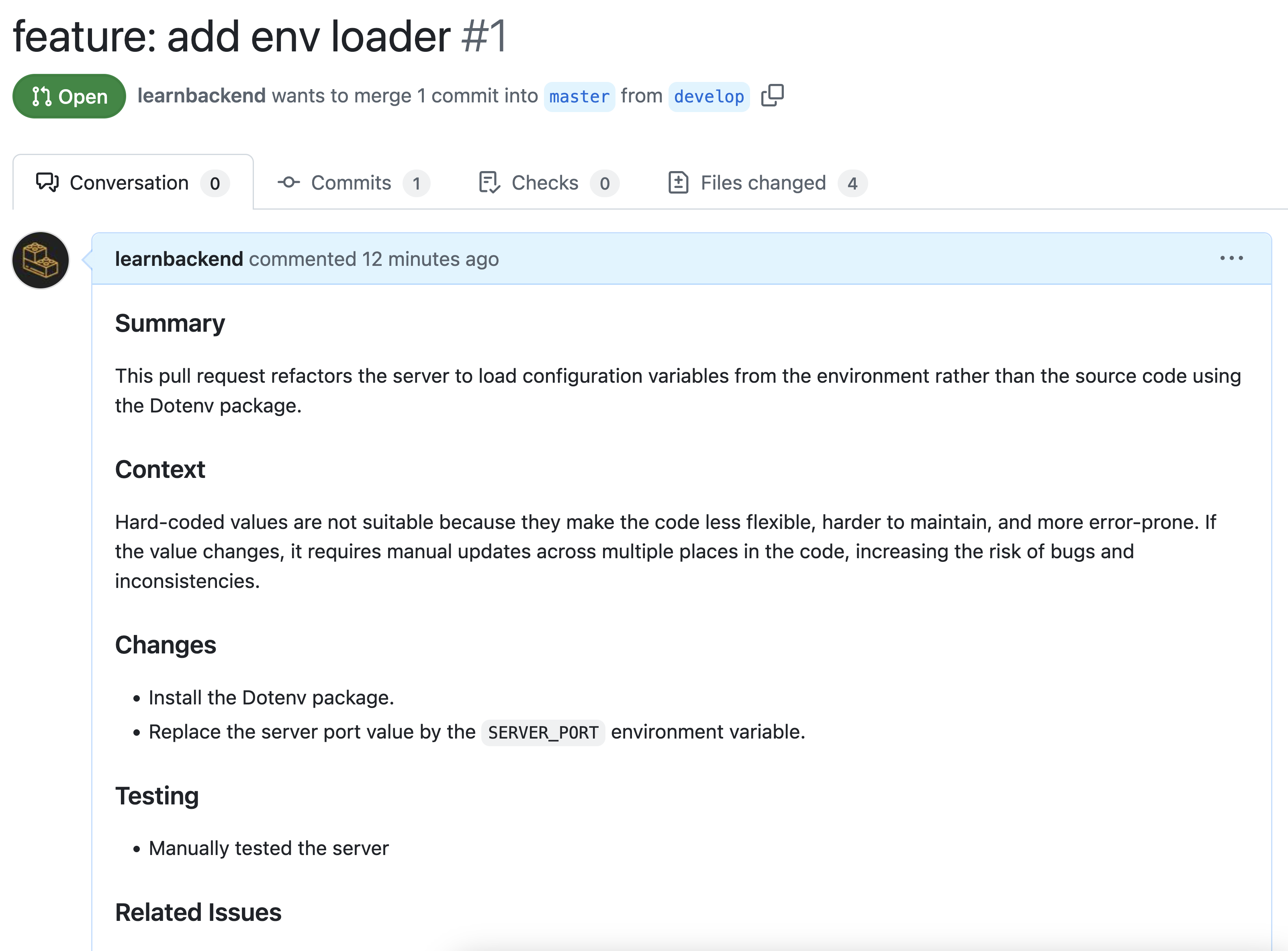
Navigate to the "Pull requests" tab of the project on GitHub and click on the pull request you want to review.
-
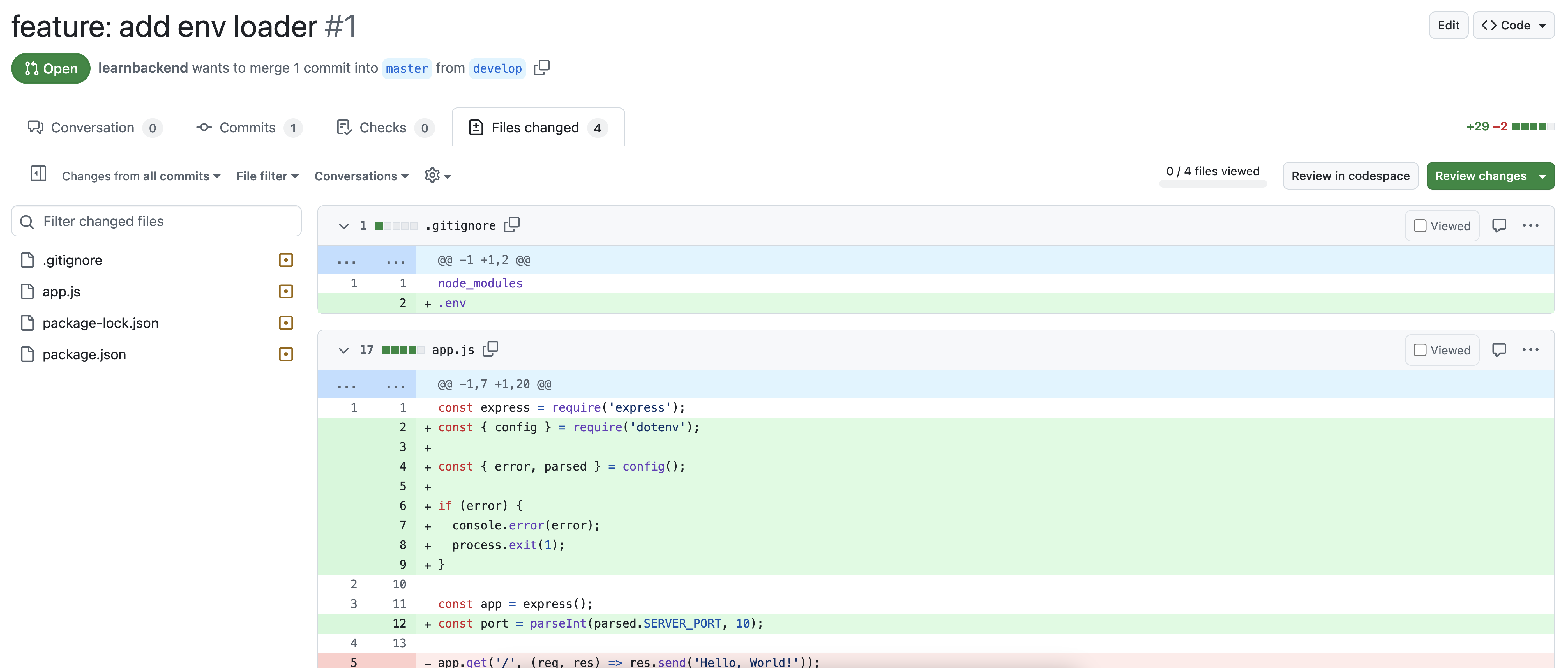
Review the PR's description to make sure you clearly understand its purpose and its broader context, and click on the "Files changed" tab to review the code changes.
-
Review each file for correctness, readability, and adherence to project guidelines.
As good practice, you should:
- Pull the branch locally and test the changes in your environment.
- Review smaller, logically related sections of code at a time.
- Break down the review if the PR is large to avoid missing critical details.
-
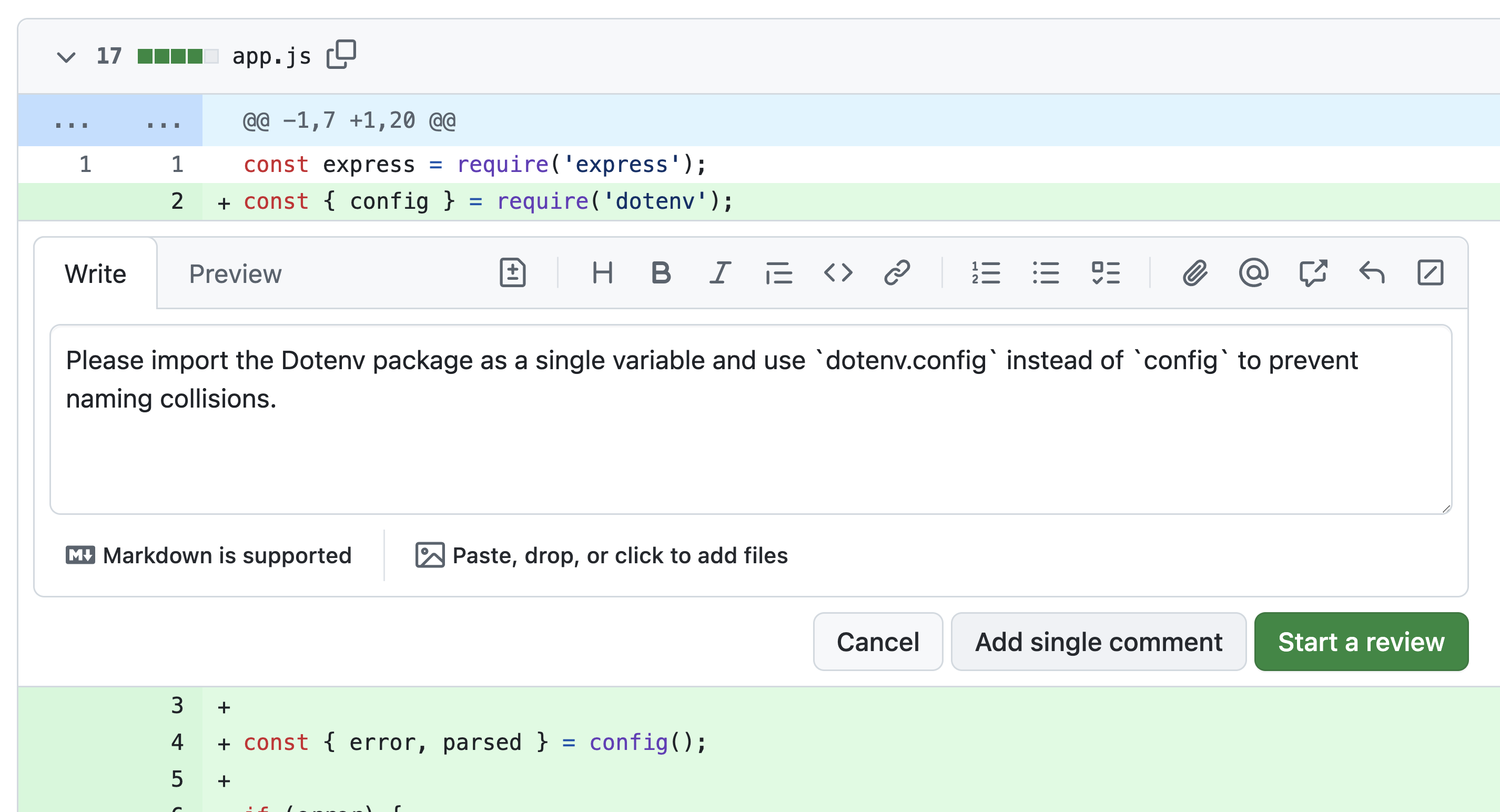
If needed, comment, suggest changes, or ask questions by clicking on the "+" icon next to the line numbers.
As good practice, you should:
- Provide specific, actionable feedback that explains why certain changes are needed (avoid nitpicking).
- Ask the contributor to explain their reasoning if a part is unclear rather than assuming.
- Write positive feedback acknowledging code that is particularly well-written or solves a problem elegantly.
-
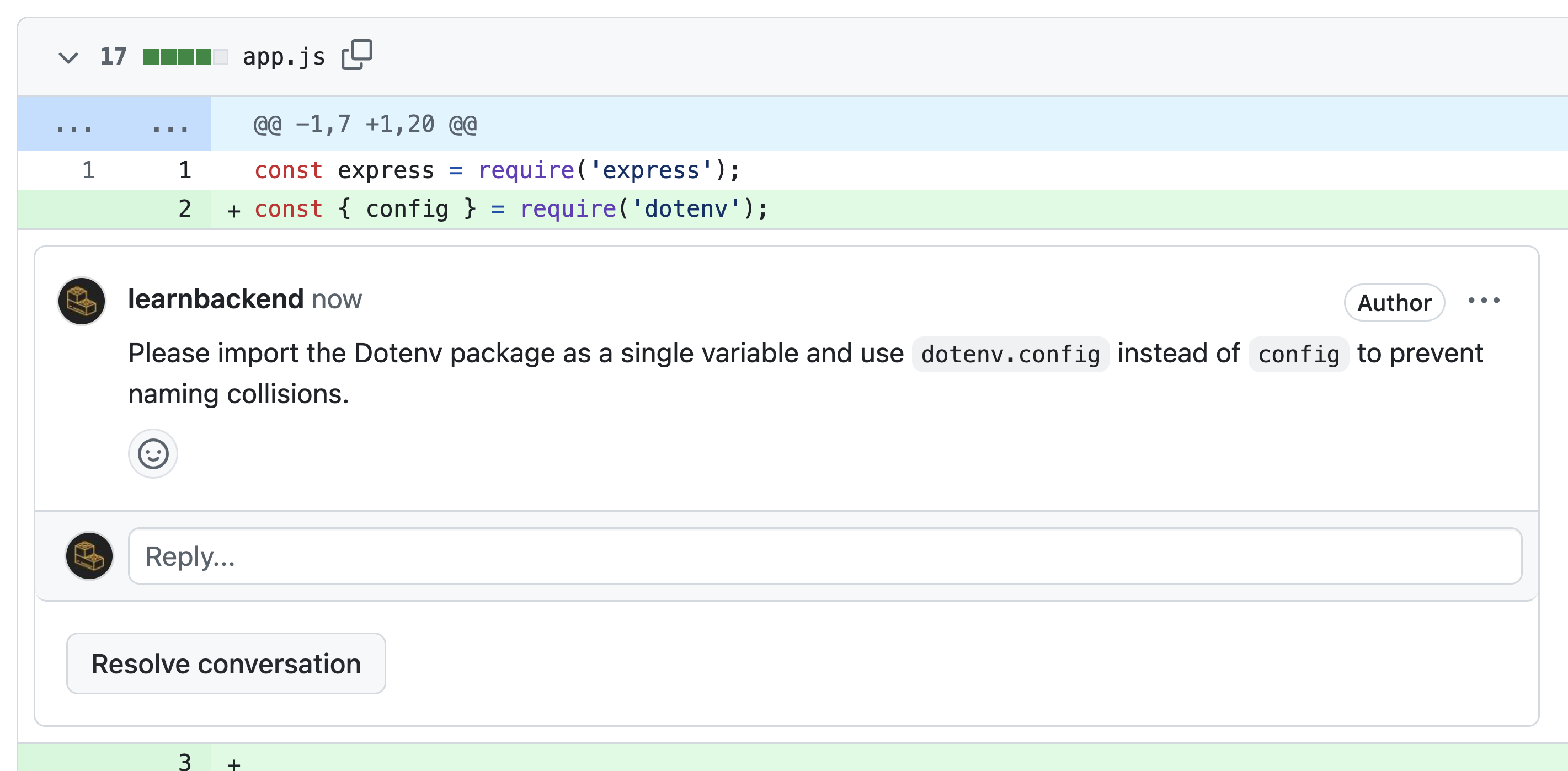
Click on the "Add single comment" button to save your comment.
-
Once the file is reviewed, click on the "Viewed" button to mark it as viewed and minimize it.
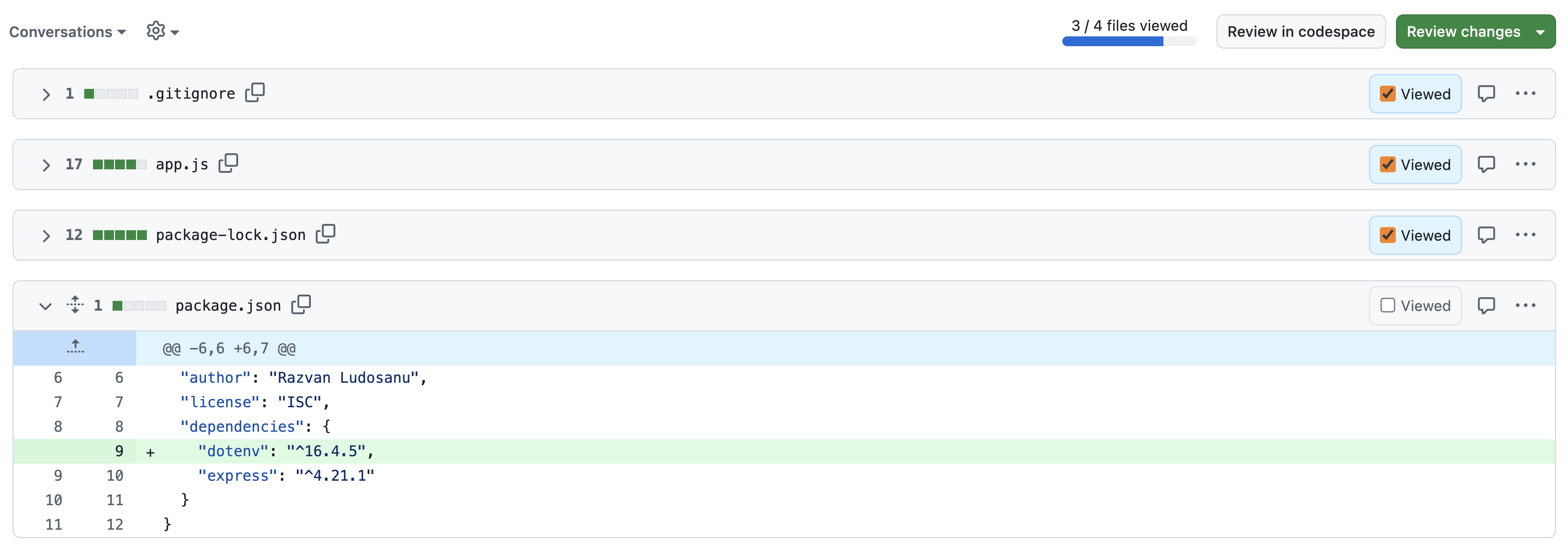
-
Once all files reviewed, click on the "Review changes" button to write your overall review comment, and select either one of:
- "Comment" to leave a comment without explicitly approving the PR.
- "Approve" to approve the PR as is.
- "Request Changes" to request refactoring, adjustments, or fixes.
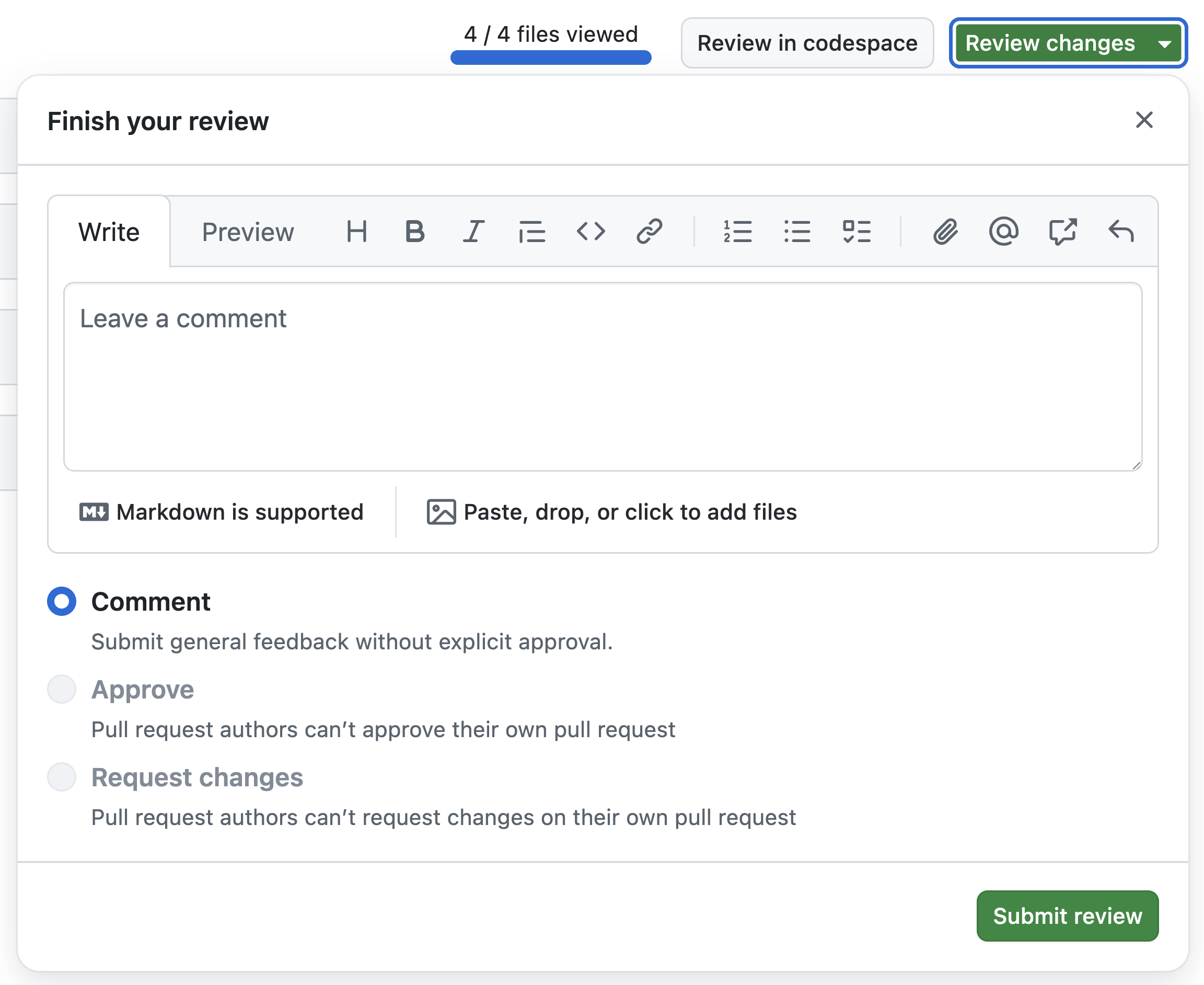
As a rule of thumb, you should avoid blocking the PR if the changes meet the project's standards, unless there are critical issues.
-
Click on "Submit review" to save your review.
Merging a pull request
Once the pull request has been reviewed and approved, it can be merged into the base branch.
-
Click on the dropdown menu of the "Merge pull request" button to view the merge options and click on the button itself to initiate the merge.
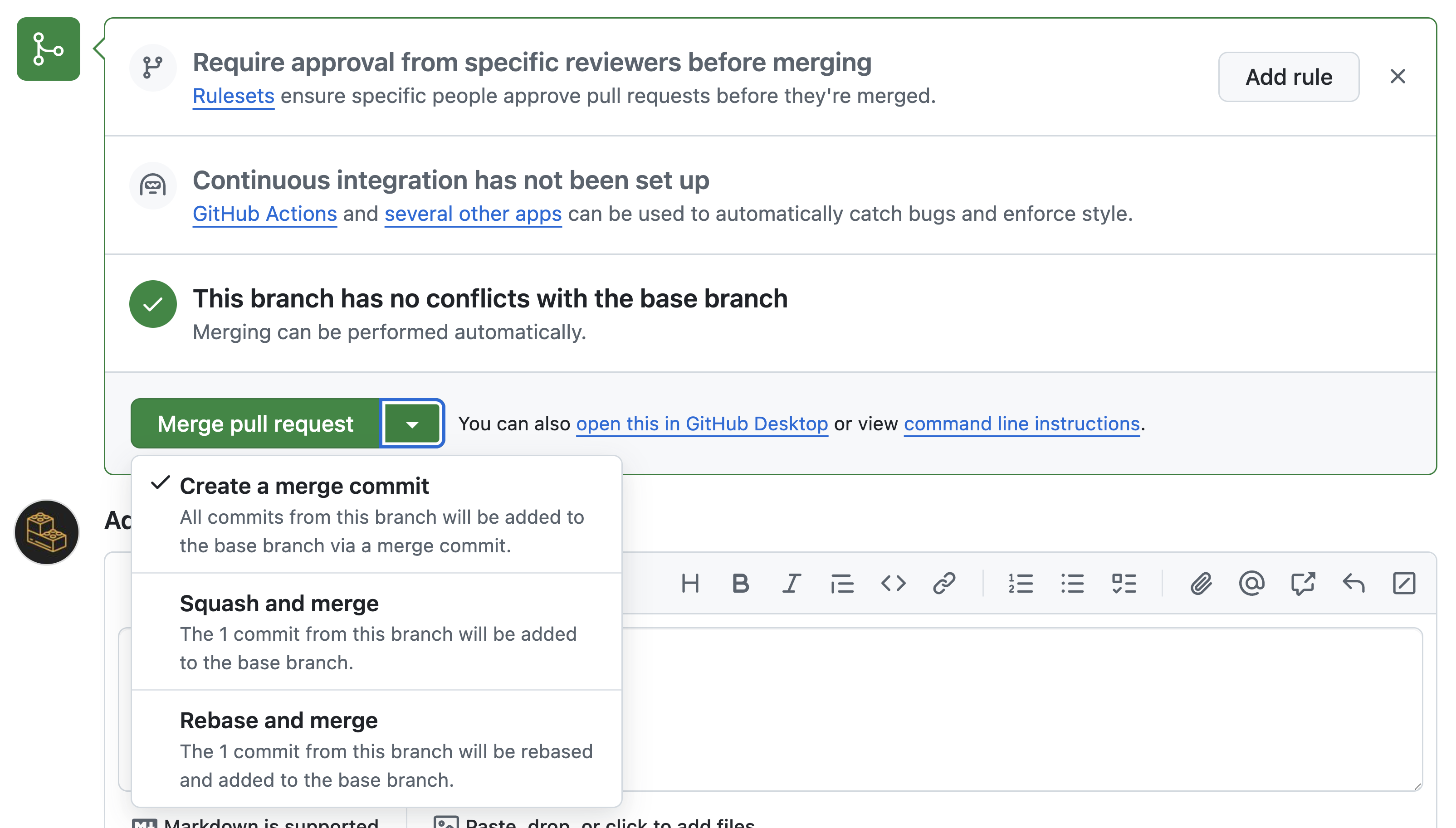
The merging options are:
- "Merge": Creates a merge commit and keeps the history of both branches.
- "Squash and merge": Combines all commits into a single commit.
- "Rebase and merge": Replays the commits from the feature branch onto the base branch.
-
Confirm the merge by clicking on the "Confirm merge" button.
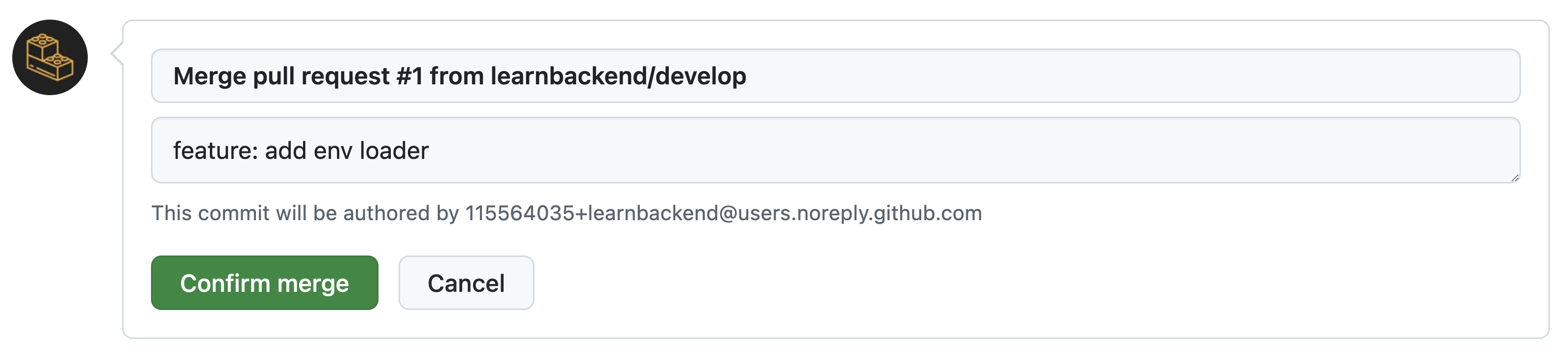
-
Remove the feature branch by clicking on the "Delete branch" button.

-
Synchronize your local repository by pulling the
mainbranch, and removing the feature branch as well as its references.
Summary
Here's a summary of what you've learned in this lesson:
- Pull requests allow developers to propose changes to a codebase and eventually merge them into the
mainormasterbranch of a project. - Pull requests should address a single feature, bug fix, or task.
- When reviewing a pull request, you should pull the branch locally, review smaller sections of code at a time, break down the review if the PR is large.
- When reviewing a pull request, you should provide actionable or positive feedback, and ask contributors to explain their reasoning.
- You should avoid blocking the PR if the changes meet the project's standards, unless there are critical issues.
Enjoying the courses?
I've made these courses completely free so anyone can learn from them. If they've helped you and you'd like to actively support the work behind BackendBrewery, you can leave a tip:
Support BackendBrewery